


GoDaddy Studio is a popular app developed and published by GoDaddy Mobile, LLC, known for its versatile features that allow users to create stunning graphic designs, social media posts, logos, and more. This app falls under the Apps genre and is widely appreciated for its sleek interface and creative tools. With a compact size of 48 MB, it efficiently balances performance and storage usage. Currently running on version 7.64.0, GoDaddy Studio ensures smooth functionality with regular updates, and users can rest assured that it remains up to date with the latest improvements and bug fixes. Whether you’re a professional designer or a beginner, GoDaddy Studio offers a seamless design experience right at your fingertips.
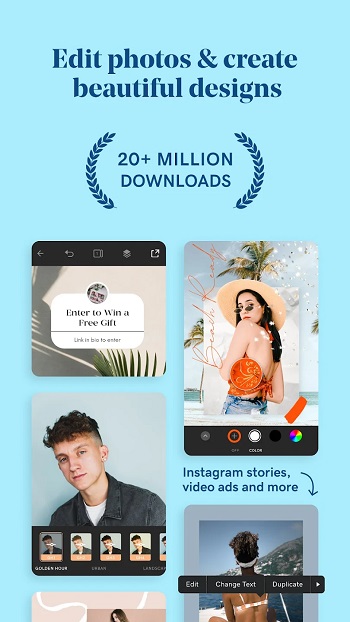
GoDaddy Studio: Unleash Your Inner Designer
GoDaddy Studio is a versatile mobile application designed to make graphic design accessible to everyone, from beginners to budding professionals. With an intuitive, minimalist interface and a rich set of tools, GoDaddy Studio empowers users to create eye-catching logos, posters, business cards, images, and even videos. Whether you’re building a brand, enhancing a personal blog, or crafting social media content, this app transforms design into a seamless and enjoyable experience.
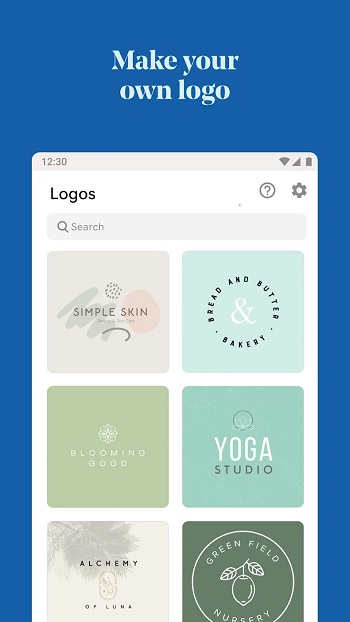
Users can start from scratch by drawing their own designs or choose from the app’s extensive library of background logo templates, which can be easily customized to reflect their unique style and ideas. Even those with little to no design experience can quickly create professional-looking visuals thanks to GoDaddy Studio’s user-friendly features.
Beyond static graphics, GoDaddy Studio takes creativity to the next level with advanced photo and video editing options. You can import videos from your device or browse the exclusive Stock Video Gallery, adding filters, text, and images to produce stunning, layered effects. The app also offers brightness, contrast, and saturation adjustments, giving users full control over every design detail.
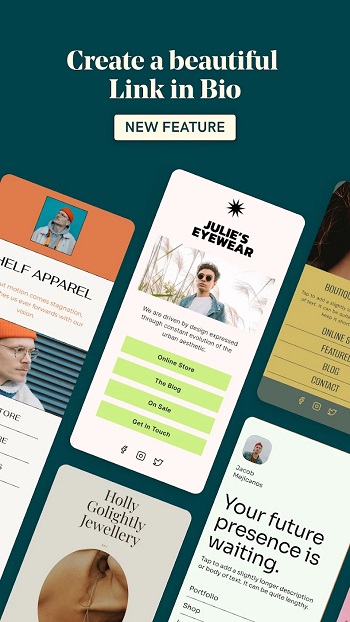
With GoDaddy Studio: Add Text to Photos & Graphic Design Maker, users can edit photos like pros by applying stylish filters and overlays, adding text, and refining each element to create striking visuals. It’s the perfect solution for crafting brochures, flyers, and multimedia content without the need for complex software.
Key Features of GoDaddy Studio:
- Minimalist Design: The app offers a streamlined, effective interface that simplifies the design process.
- Easy Video Creation: Users can effortlessly edit videos, apply filters, and create dynamic effects by layering videos with text and graphics.
- Professional Photo Editing: Import your images and customize them using advanced editing tools and preset filters.
- Extensive Template Library: Access thousands of customizable templates for logos, posters, and brochures.
- Text and Graphic Tools: Add impactful text to your images and explore unique graphic elements to enhance your designs.
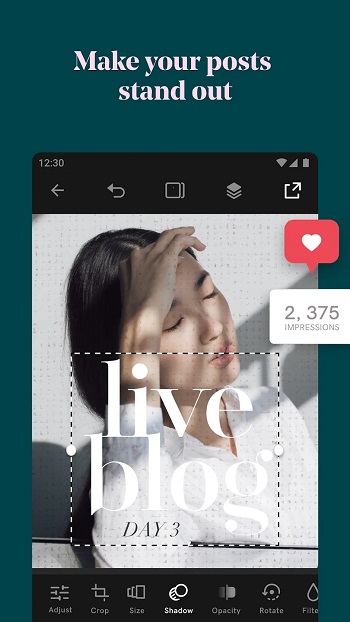
GoDaddy Studio is your creative partner, helping you manage design tasks without outsourcing, saving time, and reducing costs. Whether you’re creating promotional materials, social media posts, or personal projects, this app lets you unleash your creativity and bring your ideas to life effortlessly.
FAQ
What is GoDaddy Studio APK v7.64.0, and how does it differ from the regular app?
GoDaddy Studio APK v7.64.0 is the latest Android version of the popular graphic design app that can be downloaded as an APK file. Unlike the version available on Google Play, the APK may offer earlier access to updates or certain unlocked features, depending on where it’s downloaded. It provides users with tools to create logos, posters, flyers, and edit photos and videos effortlessly.
Is it safe to download the GoDaddy Studio APK from third-party sources?
While GoDaddy Studio APK can be downloaded from third-party websites, it is essential to ensure that you download it from a reputable and trustworthy source. APK files from unreliable sites may contain malware or viruses, so always verify the source before installation.
What are the main features available in GoDaddy Studio APK v7.64.0?
The latest version of GoDaddy Studio APK v7.64.0 offers a wide range of features, including advanced photo and video editing tools, customizable templates for logos and posters, text overlay options, filters, and design elements to enhance your visuals. It also includes bug fixes and performance enhancements for a smoother experience.
How do I install GoDaddy Studio APK v7.64.0 on my Android device?
To install the APK, follow these steps:
- Download the GoDaddy Studio APK v7.64.0 file from a trusted source.
- Go to your phone’s Settings > Security and enable Unknown Sources to allow third-party app installations.
Locate the downloaded APK file and tap to install it. - Once installed, open the app and start creating your designs.
Can I use GoDaddy Studio APK v7.64.0 offline?
Yes, some features of GoDaddy Studio can be used offline, such as basic photo and video editing and working with templates stored on your device. However, access to online features like stock images, videos, and cloud syncing may require an internet connection.
Conclusion
GoDaddy Studio APK v7.64.0 is a powerful and user-friendly graphic design tool that brings professional-grade features right to your Android device. With its versatile set of tools, customizable templates, advanced photo and video editing options, and easy-to-use interface, it empowers users to create visually stunning content effortlessly. Whether you’re designing logos, crafting social media posts, or enhancing photos and videos, this app has everything you need to unlock your creative potential.
Downloading the latest APK version ensures access to the most up-to-date features and improvements. Just be sure to download it from a reputable source for a safe and secure installation. Whether you’re a professional designer or a beginner, GoDaddy Studio APK v7.64.0 is the perfect app to elevate your design game. Try it today and transform your creative vision into reality!
