


Game Guardian is a powerful game modification tool developed by Enyby that allows users to manipulate in-game values such as money, health, and experience points. Falling under the apps genre, this tool is widely used by advanced gamers to gain an edge in various Android games. With a compact size of 19.8MB, Game Guardian remains lightweight yet highly functional. The latest version 101.1 ensures compatibility with modern Android systems, offering enhanced features and security. Regularly updated, the app continues to improve, providing users with a seamless and efficient game-hacking experience.
Game Guardian – Unlock the Full Potential of Your Games
Are you passionate about mobile games but frustrated by the limitations imposed by developers? Do you wish to modify in-game features to suit your preferences but find it too complicated? No worries—Game Guardian is here to solve those challenges effortlessly. This powerful tool allows you to tweak game parameters, unlocking hidden features and enhancing your overall gaming experience. Wondering how it works? Curious about its capabilities? Let’s dive into the details below.
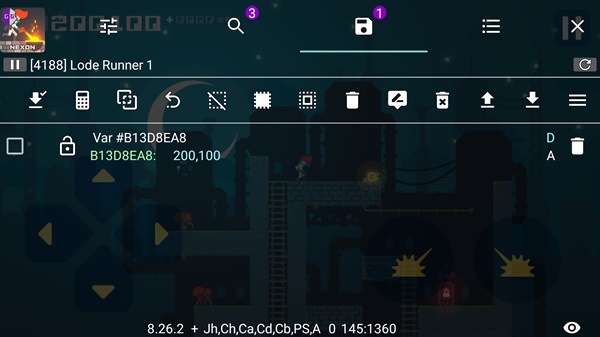
Introducing Game Guardian
Game Guardian APK is designed to grant access to restricted game content on Android devices. Developed with the aim of giving players greater control, this tool helps users discover and unlock hidden resources effortlessly. It operates by injecting custom code into a game in real time, modifying necessary parameters to enable advanced functionalities. Once installed, Game Guardian runs in the background, accessible via a floating icon for easy use.
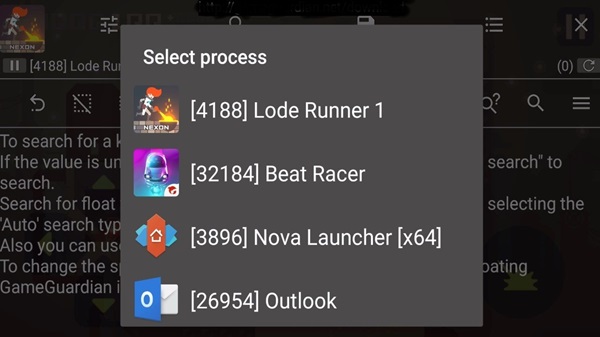
Key Features of Game Guardian
The developers continually enhance Game Guardian to ensure smooth performance on both rooted and non-rooted devices. Supporting a wide range of architectures, including ARM, x64, and x86, this tool is also compatible with Android emulators such as BlueStacks, Nox, and Droid4X. Whether you’re running an older Android version or the latest Android 8, 9, or higher, Game Guardian works flawlessly.
One of its standout capabilities is value modification, allowing users to alter in-game currencies, health points, or experience levels at will. Additionally, it features a speed adjustment mechanism, enabling players to speed up or slow down gameplay for better control over resource management.
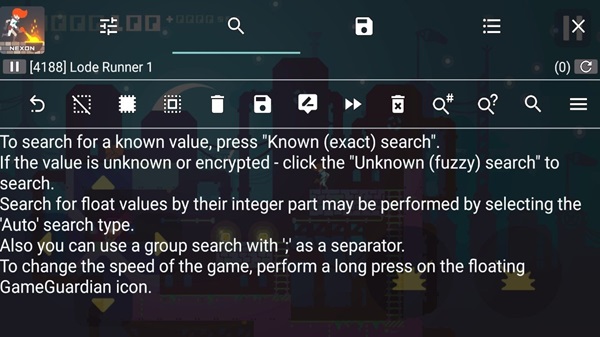
Advanced Features of Game Guardian
Speed Control
Adjust the speed of the entire game to either accelerate or decelerate gameplay. This function is available for both ARM and x86-based devices, making it easier to fine-tune game mechanics.
Intuitive and User-Friendly Interface
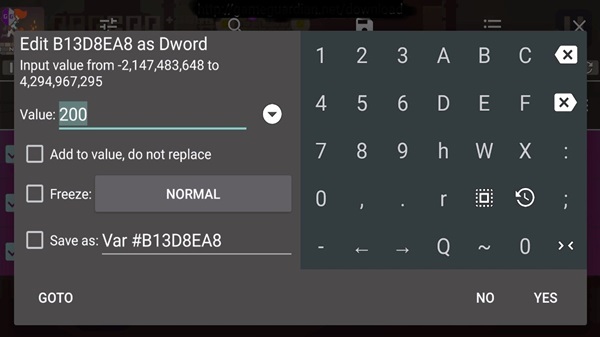
All games are built using coded numerical values, and Game Guardian allows users to manipulate these values without requiring deep programming knowledge. Unlike traditional game modding tools, it enables changes even on non-rooted devices, offering a seamless editing experience.
With Game Guardian, the impossible becomes possible. Take full control of your favorite games and enjoy a customized, enhanced experience like never before!
Frequently Asked Questions
What is Game Guardian APK 101.1, and what does it do?
Game Guardian APK 101.1 is a powerful game modification tool that allows users to edit in-game values such as money, health, and experience points. It works by injecting custom code into games, enabling players to unlock hidden resources, speed up or slow down gameplay, and modify various parameters.
Is Game Guardian APK safe to use?
While Game Guardian itself is not a virus, modifying game files can violate the terms of service of many games, potentially leading to bans. To minimize risks, it is recommended to use the app carefully and on offline games or with an anti-detection script for online play.
Do I need root access to use Game Guardian?
Game Guardian works best on rooted devices, as it allows full control over game modifications. However, the app also provides a limited non-root mode using virtual spaces or parallel apps, but its features may be restricted.
Which Android versions and devices are compatible with Game Guardian APK 101.1?
Game Guardian supports a wide range of Android devices, including ARM, x64, and x86 architectures. It is compatible with Android 5.0 and above, including newer versions like Android 12 and 13, as well as Android emulators such as BlueStacks, Nox, and Droid4X.
How can I download and install Game Guardian APK 101.1 on my Android device?
To install Game Guardian APK 101.1:
- Download the APK file from a trusted source.
- Enable “Unknown Sources” in your device settings.
- Install the APK and grant necessary permissions.
- Open the app and follow the instructions to set it up with root or virtual space (for non-root users).
Conclusion
Game Guardian APK 101.1 is an essential tool for gamers who want to modify in-game values, unlock hidden features, and enhance their overall gaming experience. Whether you wish to speed up gameplay, gain unlimited resources, or bypass restrictions, this app provides a powerful solution. With support for both rooted and non-rooted devices, as well as compatibility with Android emulators, Game Guardian remains a versatile choice for game modifications.
However, users should be cautious while using the app, especially in online games, as it may violate terms of service and lead to bans. Always download Game Guardian from trusted sources and use it responsibly to avoid risks.
