


Google Chrome, published by Google LLC, is one of the most popular web browsers globally, renowned for its speed, security, and user-friendly interface. Falling under the Apps genre, this browser stands out for its seamless integration with Google’s ecosystem, offering features like personalized recommendations, built-in password management, and syncing across devices. With a current file size of 220 MB and operating on version 124.0.6367.171, Chrome ensures enhanced performance, stability, and cutting-edge security updates. Regularly maintained and up to date, it continues to be a reliable choice for browsing, supporting extensions, incognito mode, and advanced customization to improve the user experience.
Chrome (Google Chrome)
Google Chrome is one of the most modern, fast, and widely used web browsers today. Developed by Google LLC, it has become popular due to its convenience, simplicity, and user-friendly design, while also meeting high standards of security and information safety. Chrome offers a seamless and secure browsing experience. For example, if you frequently visit a particular website, Chrome will automatically save it and display it in the suggested pages when you open the browser, improving accessibility.
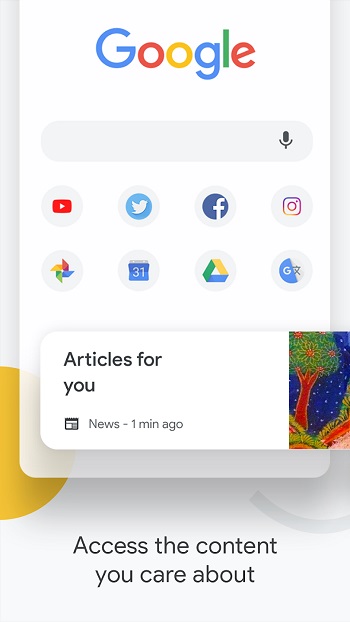
In addition, Chrome offers a high level of personalization, often integrating AI features that enhance your browsing experience. Based on your search history, it can detect your personal interests and recommend relevant articles, trending events, and curated content. However, web browser preferences can vary, and it’s essential to choose one that meets your needs. If Chrome aligns with your expectations, it’s definitely worth downloading and trying.
About Chrome
The first version of Google Chrome, designed for Windows, was released on September 2, 2008, in 43 different languages. By December 11, after completing its testing phase, Chrome was officially launched worldwide. In June 2009, Chrome expanded to Mac OS and Linux platforms, broadening its reach. By June 2011, it had risen to become the third most popular browser globally, just behind Internet Explorer and Mozilla Firefox. On May 21, 2012, Chrome surpassed its competitors and became the world’s most used web browser.
Google Chrome is built using 25 different open-source libraries from Google and other developers, including technologies like Mozilla’s Netscape Portable Runtime and Network Security Services. Its core design aims to balance speed, security, and stability, all while keeping the interface minimal and intuitive.
Key Features of Google Chrome
Search
One of Chrome’s standout features is its powerful search engine integration. You can search for anything directly from Chrome’s search bar, also known as the Omnibox. The search process is lightning fast, providing hundreds or even thousands of relevant results within seconds. This is due to Chrome’s robust search algorithms and vast server infrastructure, which serve as a digital knowledge base containing information from nearly every field, including health, transportation, communication, and more.
Simple and User-Friendly Interface
Google Chrome’s interface is designed to be clean, minimal, and accessible, even for users with limited tech knowledge. The layout is intuitive, making it easy to navigate. Whether it’s an experienced professional or a child using Chrome, the simplicity of its design ensures a smooth experience for everyone.
High-Speed Performance
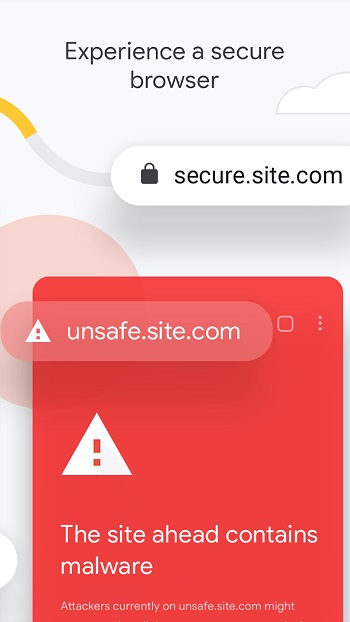
Chrome is optimized for speed, allowing users to load web pages, open tabs, and perform searches rapidly. It also incorporates online privacy protections. For instance, if you visit a website without an SSL certificate, Chrome will notify you that the page is not secure. The Incognito Mode allows for private browsing without saving your history or cookies. Additionally, Chrome’s homepage can be customized with shortcuts to your most-visited pages, helping you save time.
Privacy and Security
Google Chrome takes user privacy and security seriously. If you need to give someone remote access to your computer for troubleshooting, you can do so carefully while ensuring your sensitive files and personal data are protected. Chrome also prevents unauthorized data sharing on organizational or school computers, minimizing the risk of confidential information leaks.
Syncing Across Devices
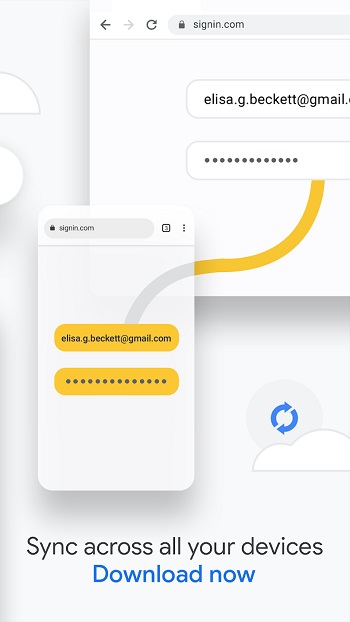
When you sign in to Chrome with your Google account, all your data, including bookmarks, browsing history, saved passwords, and settings, are synced across all your devices. This means you can enjoy a consistent, personalized browsing experience, whether you’re on your phone, tablet, or computer.
Frequently Asked Questions
What is Chrome APK v124.0.6367.171, and why should I download it?
Chrome APK v124.0.6367.171 is the latest version of Google Chrome designed for Android devices. It offers enhanced performance, faster browsing, better stability, and improved security features. This version comes with bug fixes, updated privacy settings, AI-based recommendations, and seamless syncing across devices. Downloading the APK allows users to install Chrome manually, even if the Play Store version isn’t available or updating automatically.
Is Chrome APK v124.0.6367.171 safe to download and install?
Yes, Chrome APK is safe if downloaded from trusted sources such as the official Google website or reputable APK platforms. Always ensure that your device’s settings allow installations from “Unknown Sources” and double-check the APK file for any potential malware before proceeding with the installation.
What new features are available in Chrome APK v124.0.6367.171?
This version of Chrome APK includes several improvements, such as:
- Enhanced speed and stability for faster browsing.
- Improved privacy settings, including a more secure Incognito Mode.
- AI-based personalized recommendations based on your browsing habits.
- Bug fixes and performance enhancements to provide a smoother user experience.
- Updated syncing options to keep your bookmarks, passwords, and browsing history consistent across devices.
How do I manually install Chrome APK v124.0.6367.171 on my Android device?
To install Chrome APK manually, follow these steps:
- Download the APK file from a trusted source.
- Go to your phone’s Settings > Security and enable Install from Unknown Sources.
- Open the downloaded APK file and tap Install.
- Wait for the installation process to complete.
- Launch Chrome and enjoy the latest features!
What should I do if the Chrome APK v124.0.6367.171 installation fails?
If the installation fails, try the following troubleshooting steps:
- Ensure device compatibility: Make sure your Android version meets the minimum system requirements.
- Check storage space: Ensure you have enough free storage for the APK installation.
- Enable permissions: Confirm that “Install from Unknown Sources” is enabled in your device settings.
- Download a fresh APK file: Sometimes, corrupted APK files may cause installation issues. Re-download the file from a reliable source.
- Restart your device and try installing the APK again.
Final Thoughts
Google Chrome continues to dominate the browser market due to its speed, simplicity, personalization, and security. Whether you’re streaming content, doing research, or managing online tasks, Chrome is equipped with tools to enhance your productivity and keep your data safe. If these features align with what you’re looking for in a browser, Chrome is a solid choice that delivers a seamless web experience.
