


Speedtest by Ookla is a popular app designed to measure your internet speed with precision and ease. Developed by the trusted publisher Ookla, this app has become a go-to tool for users seeking accurate data on download, upload, and ping rates. Falling under the Apps genre, Speedtest offers a sleek and user-friendly interface that caters to both casual users and tech enthusiasts. With a compact size of 40 MB, it won’t hog your device’s storage, and the current version 5.3.6 ensures you have access to the latest features and improvements. Regularly updated to stay up to date, Speedtest by Ookla continues to deliver reliable performance and detailed network insights. Whether troubleshooting network issues or simply checking your internet connection speed, this app provides valuable real-time results with just one tap.
Speedtest by Ookla – Trusted by Millions for Accurate Internet Speed Testing
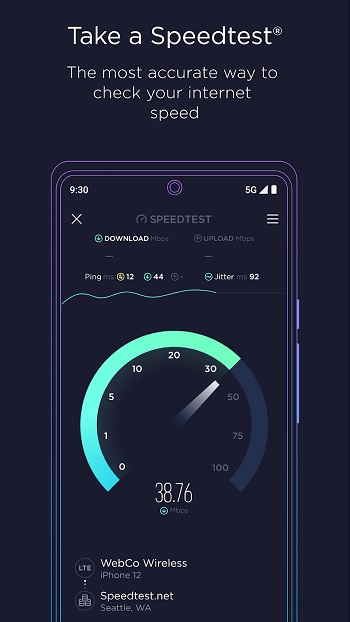
Speedtest has earned its reputation as the #1 tool for testing internet speed, trusted daily by millions of users and industry professionals. The app automatically conducts accurate network speed tests, providing real-time measurements of your network’s health and performance.
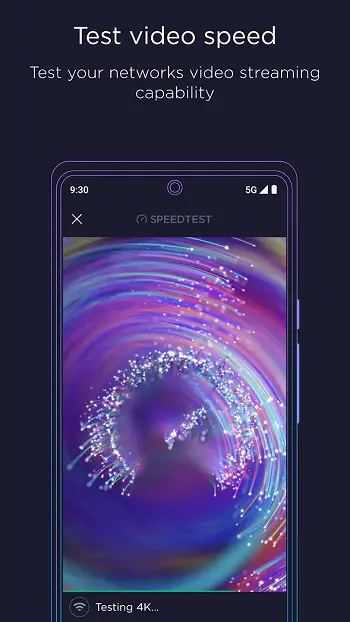
Video Testing
With Speedtest’s video testing feature, users can assess their network’s current streaming quality and gain insights on optimizing their online video experience. This helps enhance the overall quality of video streaming on various platforms.
About Speedtest
Speedtest makes it easy to check your internet connection speed with just one tap, thanks to its extensive global server network. Its intuitive design allows you to measure download and upload speeds quickly and accurately, providing detailed results in seconds.
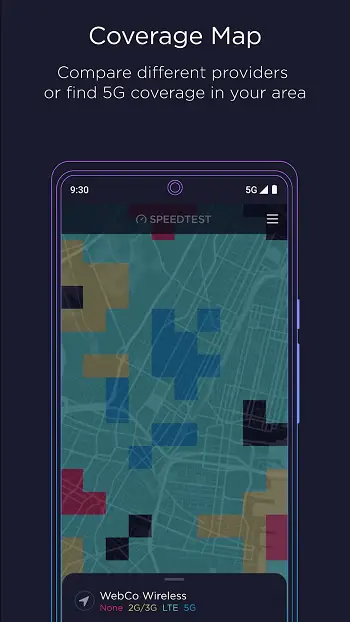
You can also explore mobile network coverage using Speedtest Maps, which display real-world data collected from users. This feature helps you compare different providers and identify areas with stronger connectivity based on actual performance metrics.
Additionally, Speedtest prioritizes online privacy. With the built-in VPN service, users get up to 2GB of free data per month, ensuring secure browsing on public Wi-Fi networks. Premium users enjoy unlimited VPN usage and an ad-free experience.
Key Highlights of Speedtest
High-Speed Performance
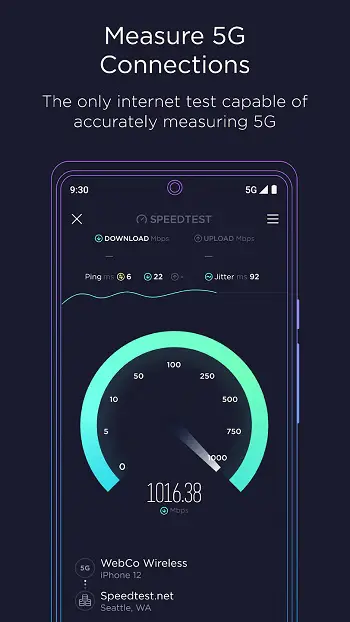
Speedtest delivers lightning-fast speed measurements with minimal waiting time. Simply tap the “Go” button to connect to a nearby server and measure your connection. The app uses a responsive speedometer to display your download, upload, and ping rates. A stable connection is represented by smooth, horizontal frequency lines.
Data Security and Privacy
Security is a top priority in Speedtest. The app doubles as a VPN, offering secure internet access, even on public networks. By activating the VPN feature, users can browse the web with confidence, minimizing the risk of data theft, hacking, and privacy breaches.
Global Server Connectivity
Speedtest connects users to a global server network, delivering reliable and fast connections no matter where they are. The app analyzes connection parameters and provides instant, accurate access results. Its globally distributed servers ensure seamless performance and minimal disruptions.
With Speedtest by Ookla, you can keep your connection fast, secure, and optimized – all while staying informed about your network’s performance. Whether you’re streaming videos, gaming, or working online, Speedtest helps ensure your internet connection is always at its best.
Frequently Asked Questions
What is Speedtest by Ookla APK v5.3.6?
Speedtest by Ookla APK v5.3.6 is the latest version of the popular internet speed testing application for Android devices. It allows users to measure their internet connection’s download, upload speeds, and ping with just one tap.
How do I download and install Speedtest by Ookla APK v5.3.6 on my Android device?
To download and install the APK, follow these steps:
- Download the APK file from a trusted source.
- Go to your phone’s settings, enable “Install from Unknown Sources” under security settings.
- Open the downloaded file and tap “Install.” Once the installation is complete, you can use the app to test your internet speed.
Is Speedtest by Ookla APK v5.3.6 safe to download?
Yes, downloading the Speedtest by Ookla APK from reliable sources is generally safe. However, always ensure that you download APK files from trusted websites to avoid malware or other security risks.
What are the features of Speedtest by Ookla APK v5.3.6?
This version of Speedtest by Ookla comes with several useful features, including:
- Accurate measurement of download, upload speeds, and ping.
- Real-time graphs to track consistency of connection.
- VPN integration to secure online browsing (in-app).
- Jitter and packet loss measurement to assess streaming and gaming stability.
Does Speedtest by Ookla APK v5.3.6 work offline?
No, the app requires an active internet connection to perform speed tests. However, once the speed test is completed, users can view the test history and results offline.
Conclusion
Speedtest by Ookla APK v5.3.6 is a must-have tool for anyone looking to measure their internet speed with accuracy and ease. This latest version enhances your testing experience with real-time speed analysis, ping tracking, jitter measurement, and even optional VPN functionality for secure browsing. Whether you’re troubleshooting your Wi-Fi, monitoring mobile data performance, or ensuring stable streaming and gaming connections, this app provides precise results within seconds.
By downloading and installing the APK, you gain full access to the app’s advanced features without limitations. Just remember to download the APK from trusted sources to ensure a safe and smooth installation process. With its user-friendly interface, Speedtest by Ookla continues to be the go-to app for millions of users worldwide who value quick, reliable, and efficient internet speed testing.
